Why we recommend linking instead of embedding
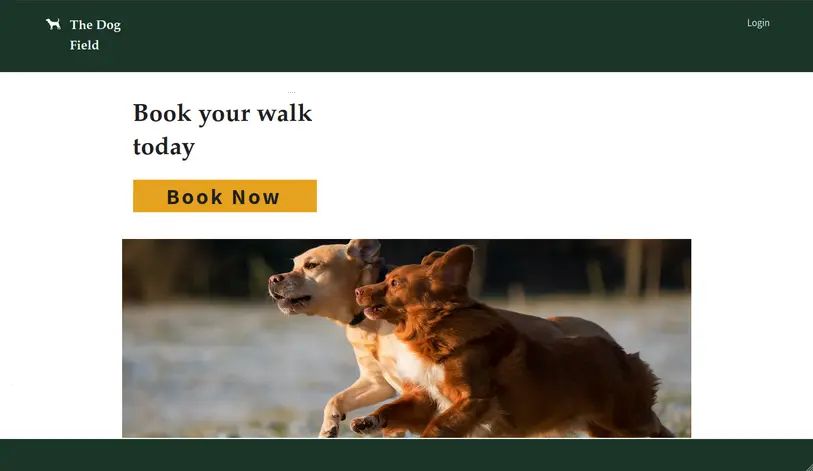
Due to how Wix handles iframes, we don't recommend embedding your booking form directly onto your Wix site. Instead, we recommend adding a button that links to your hosted booking form. This gives your customers the best experience.
Finding your booking form link
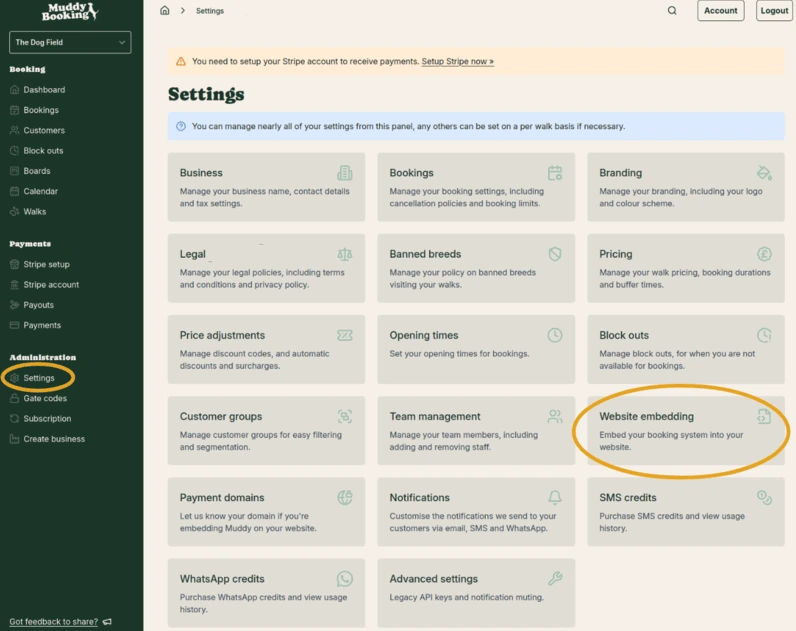
- In the Muddy admin area, click Settings in the left-hand menu, then click Website embedding
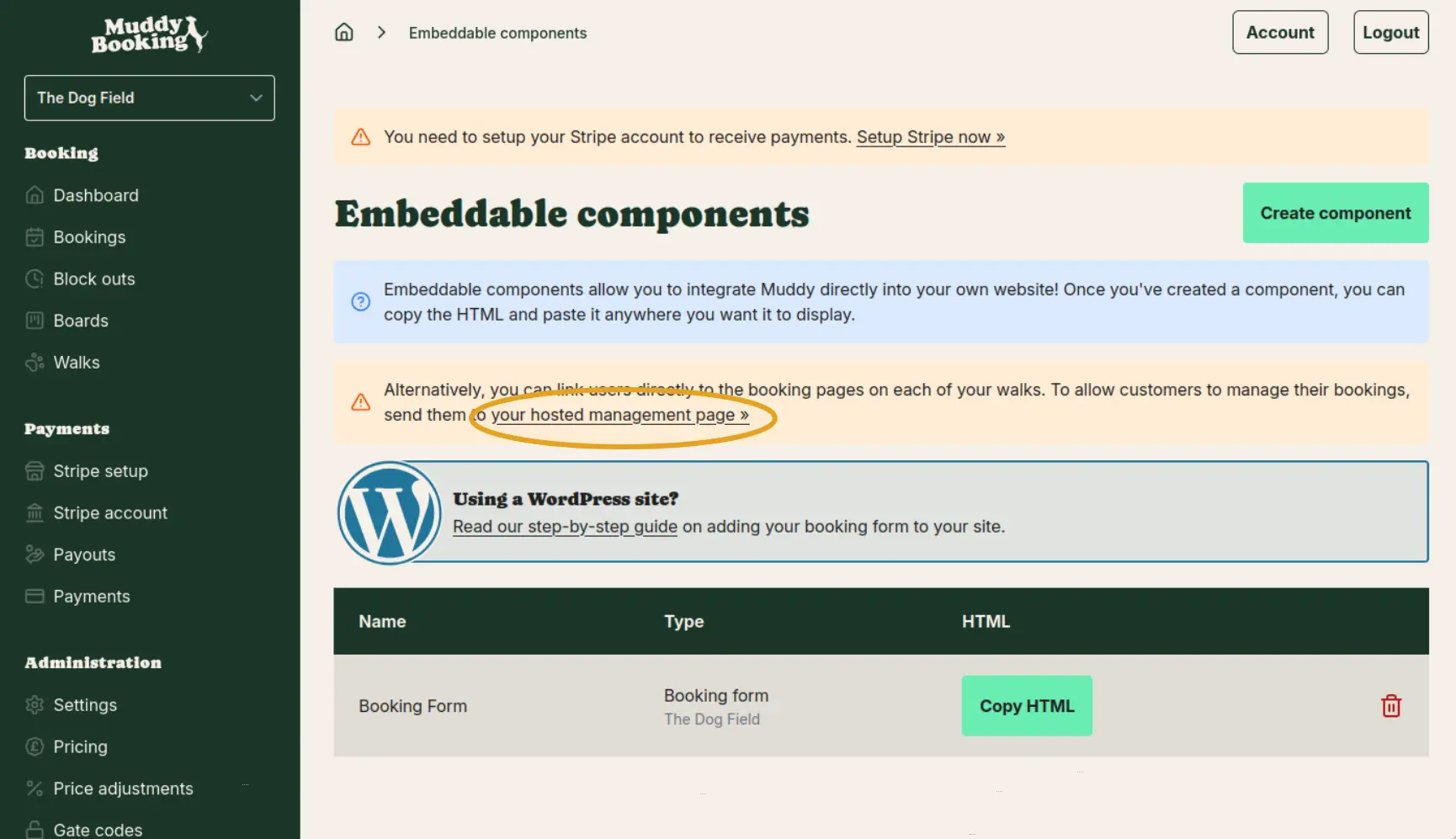
- Find the booking form you want to link to and copy the hosted booking form URL
Adding a booking button to your Wix page
Step 1: Open your page
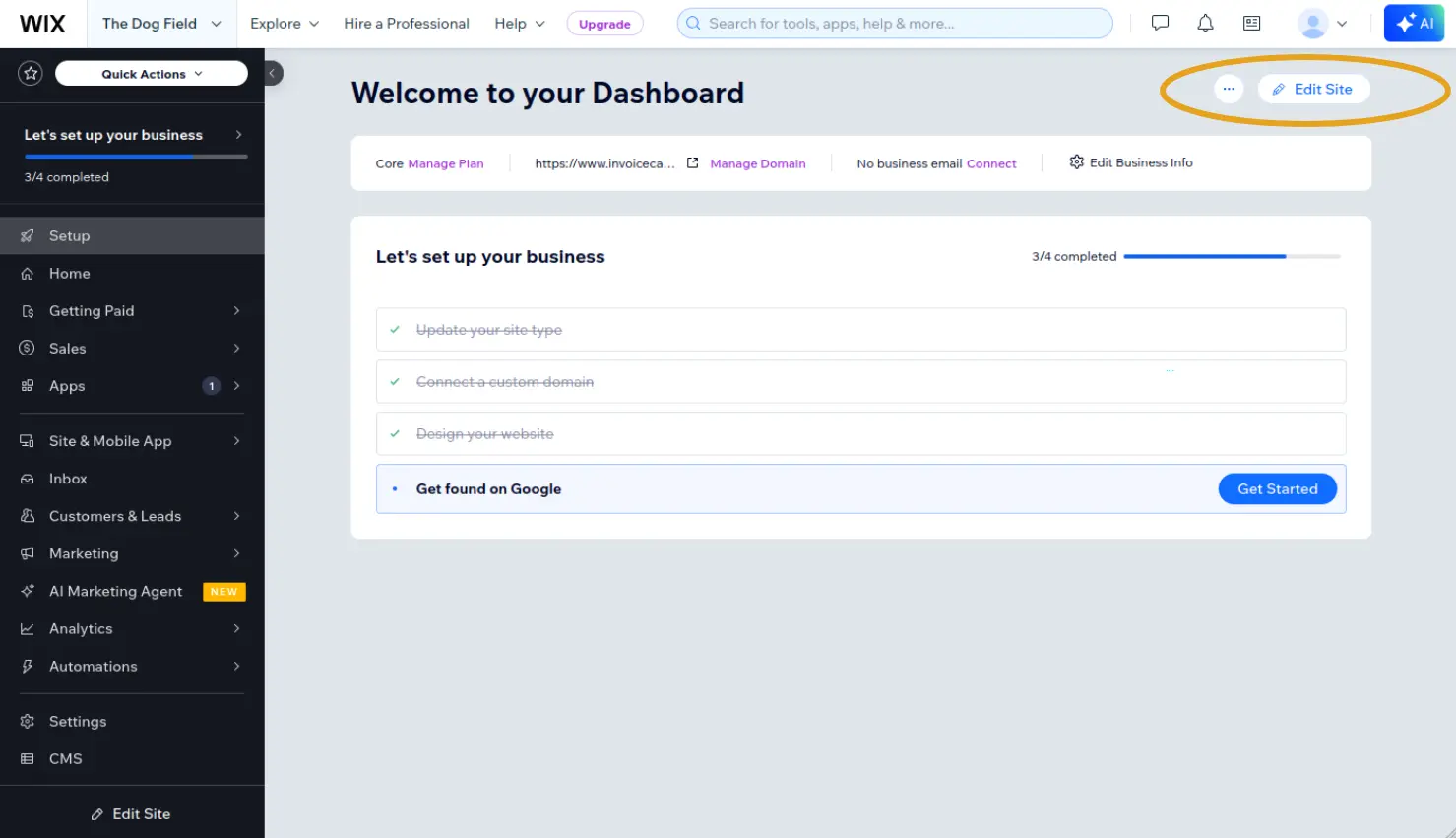
Log into Wix and click Edit Site to open your site editor.
Step 2: Add a new section
Add a new section to your page where you'd like the button to appear.
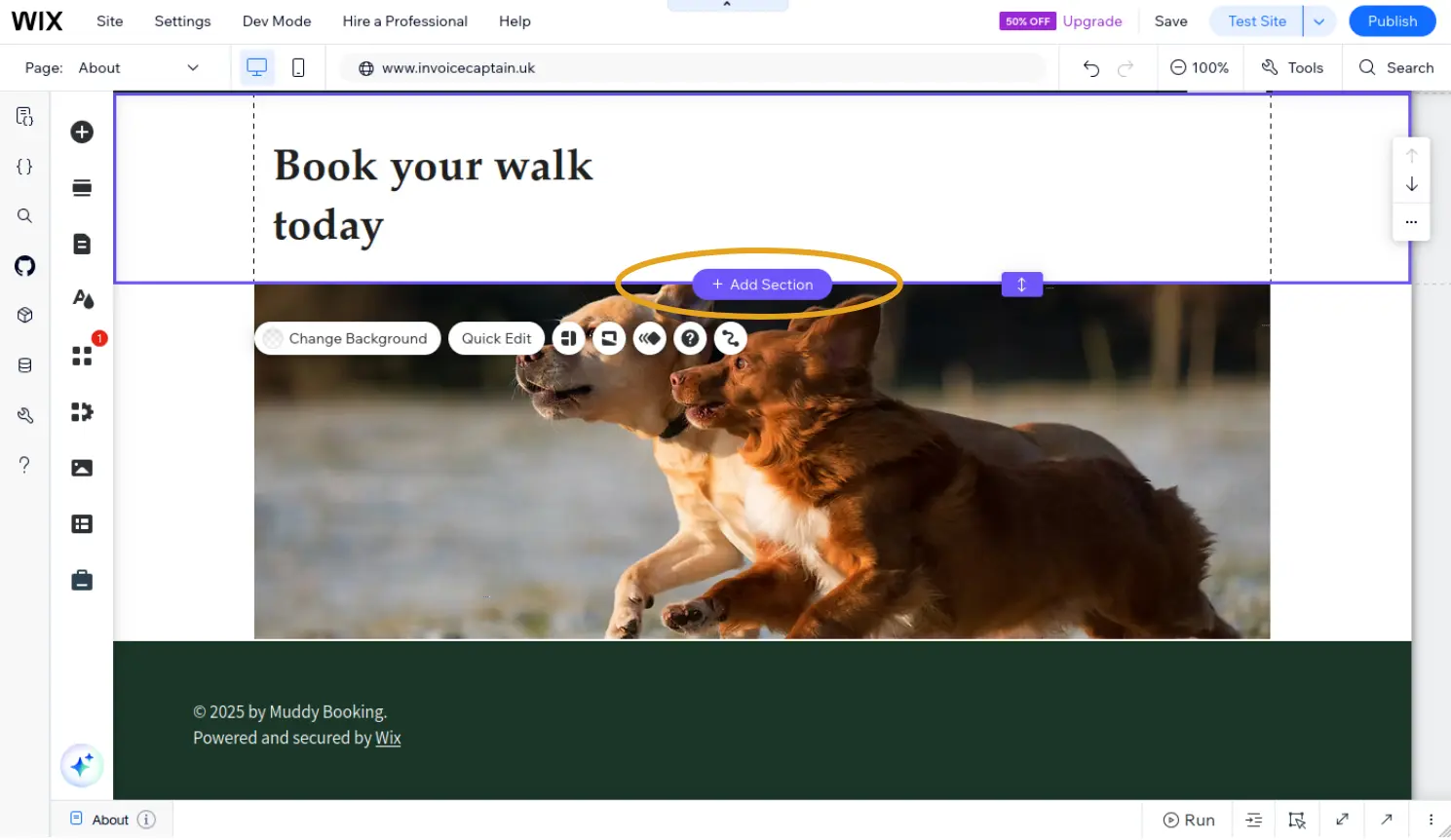
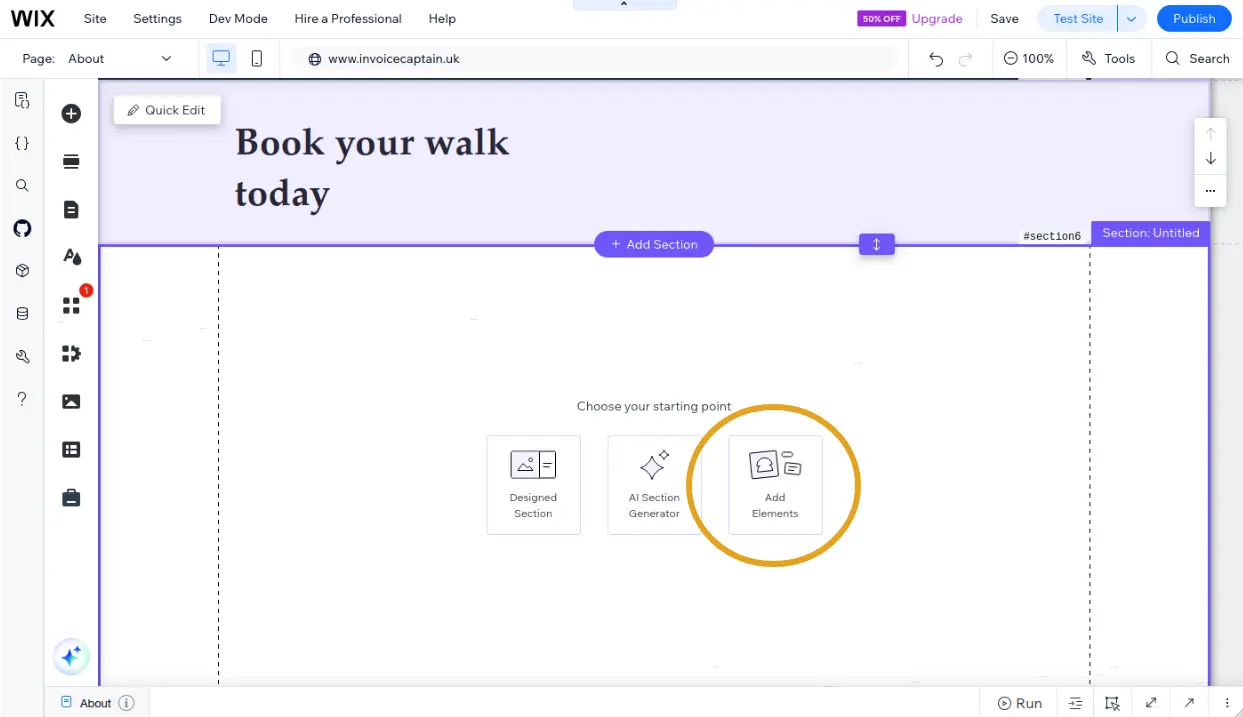
Step 3: Add an element
Add a new element to the section.
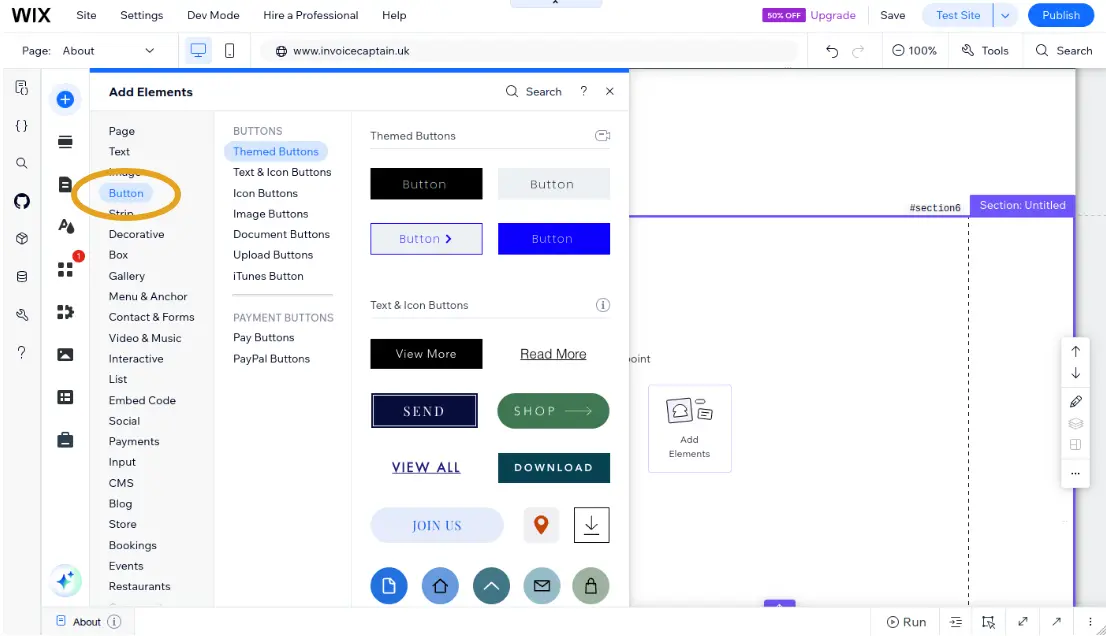
Step 4: Choose a button
Select a Button style that fits your site.
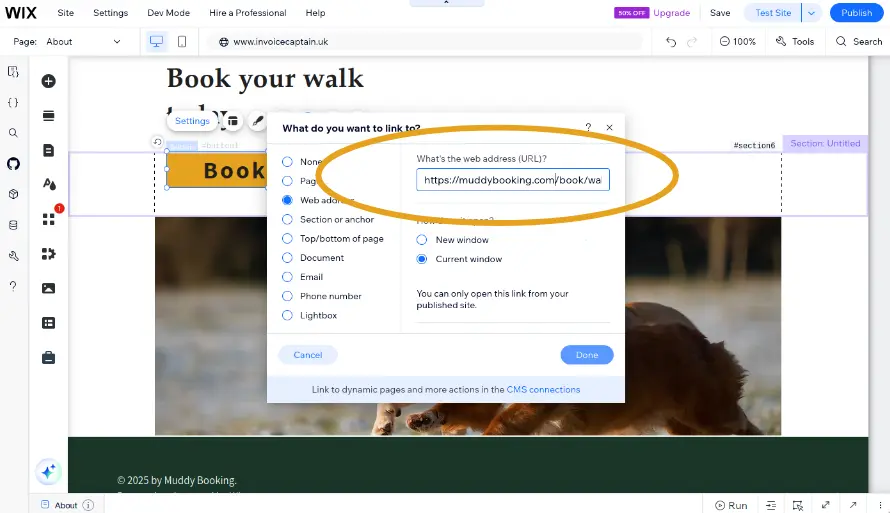
Step 5: Set the link
Open the button settings and find the link options.
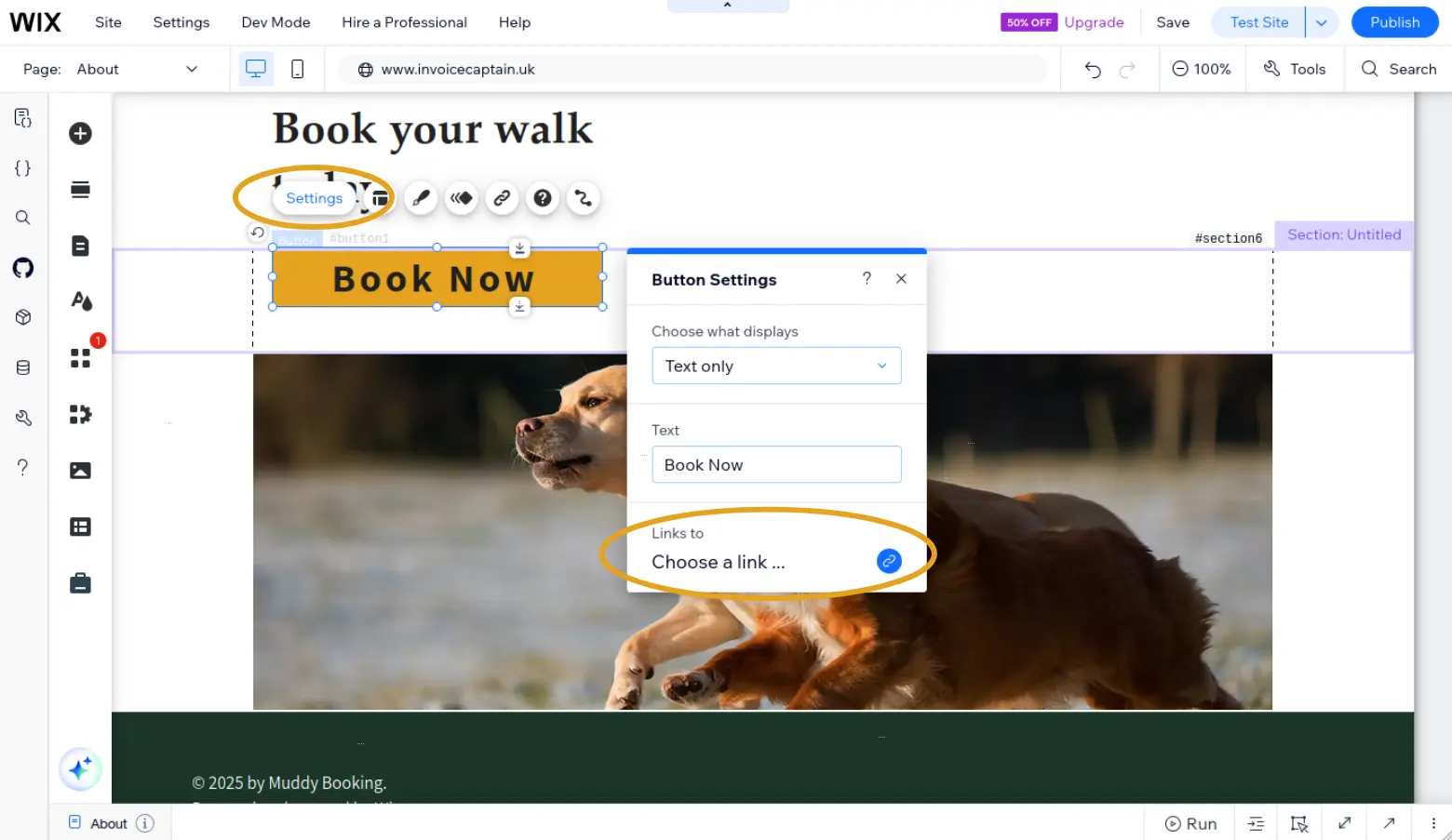
Paste your booking form URL into the address field.
Step 6: Publish your site
Click Publish to make your changes live.
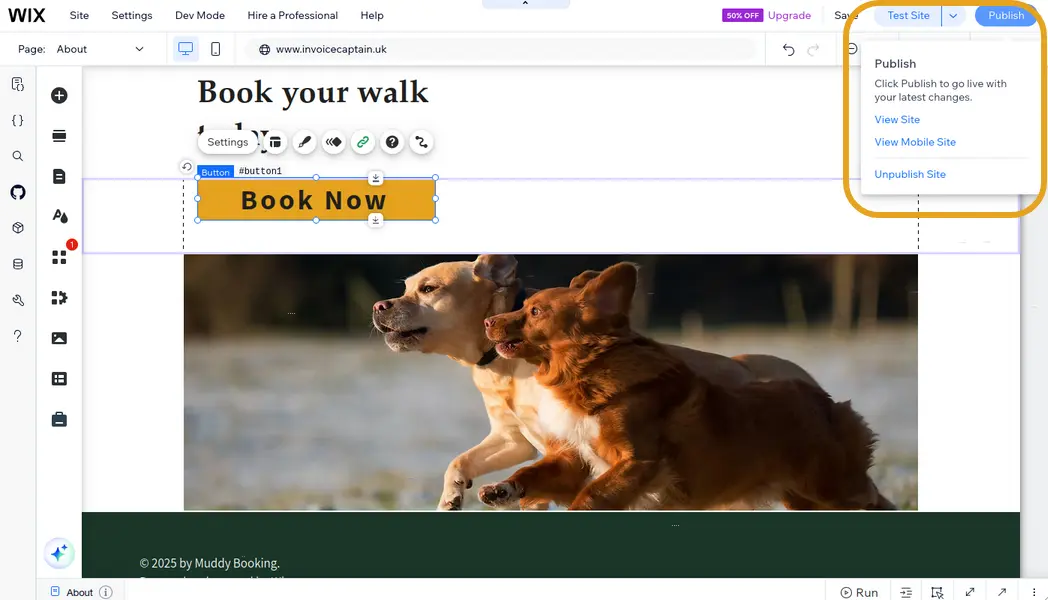
Your customers can now click the button to open your booking form.