Finding your embed code
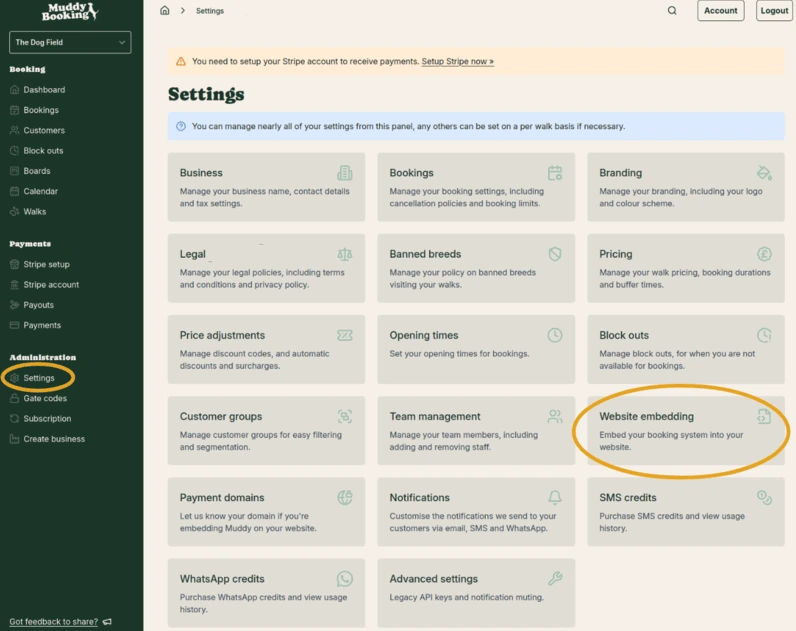
- In the Muddy admin area, click Settings in the left-hand menu, then click Website embedding
- Find the booking form you want to add to your site and click the green Copy HTML button next to it
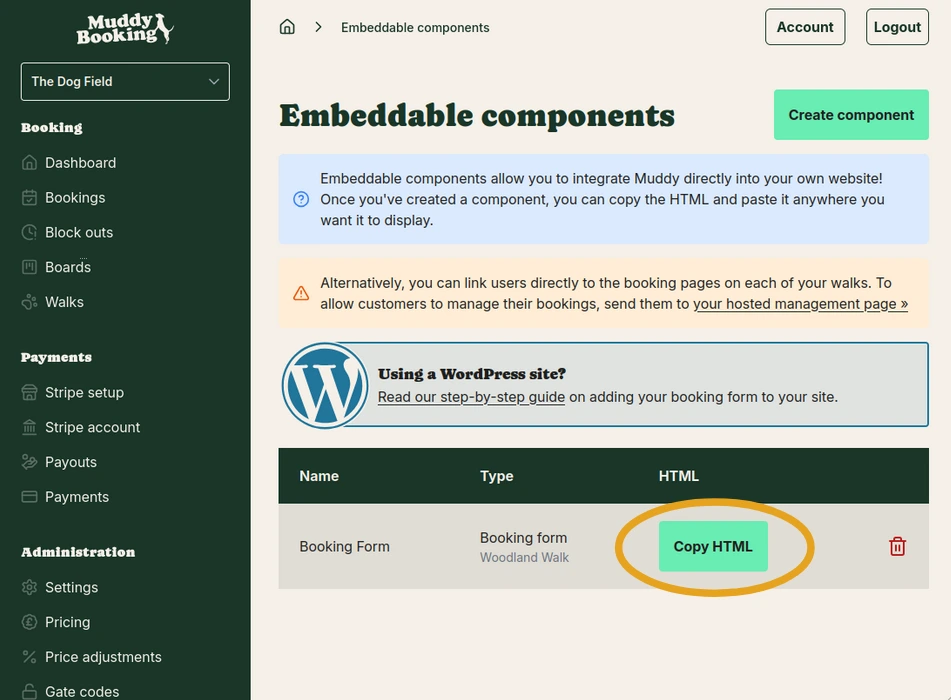
This copies the embed code to your clipboard, ready to paste into WordPress.
Adding your shop rather than your booking form? Create a Shop component first, as explained in Adding your shop to your website. Then copy its code in the same way and follow the steps below.
Adding the form to your WordPress page
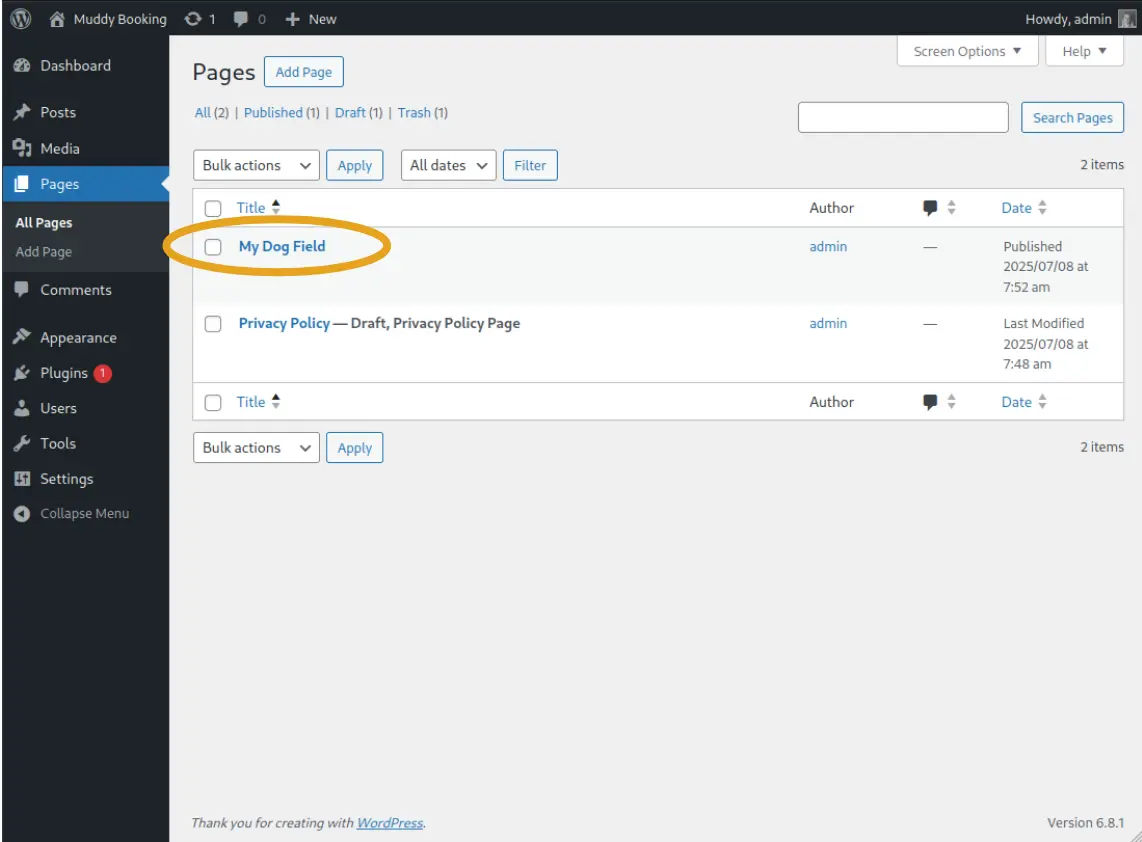
Step 1: Open your page
Log into your WordPress site and open the page where you want the booking form to appear. Click Edit to open the page editor.
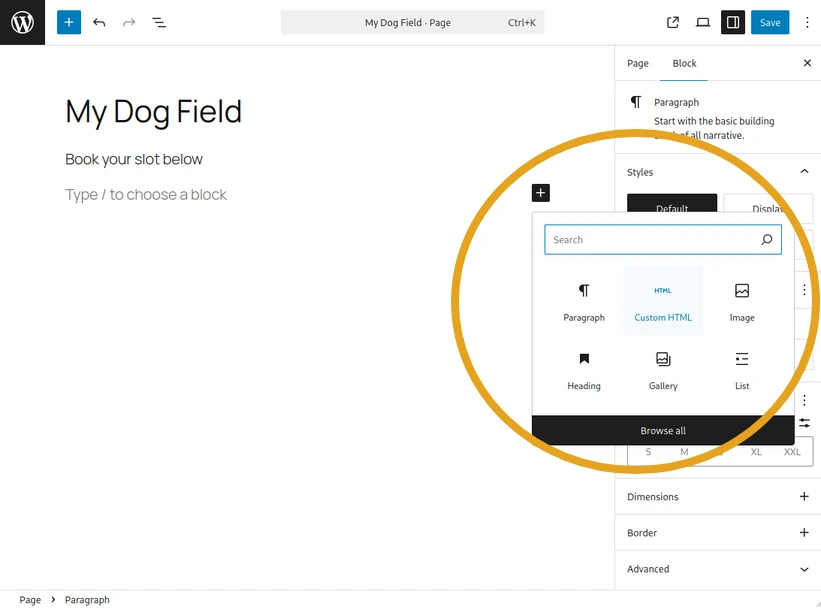
Step 2: Add a Custom HTML block
In the WordPress block editor, click the + button to add a new block. Search for and select Custom HTML.
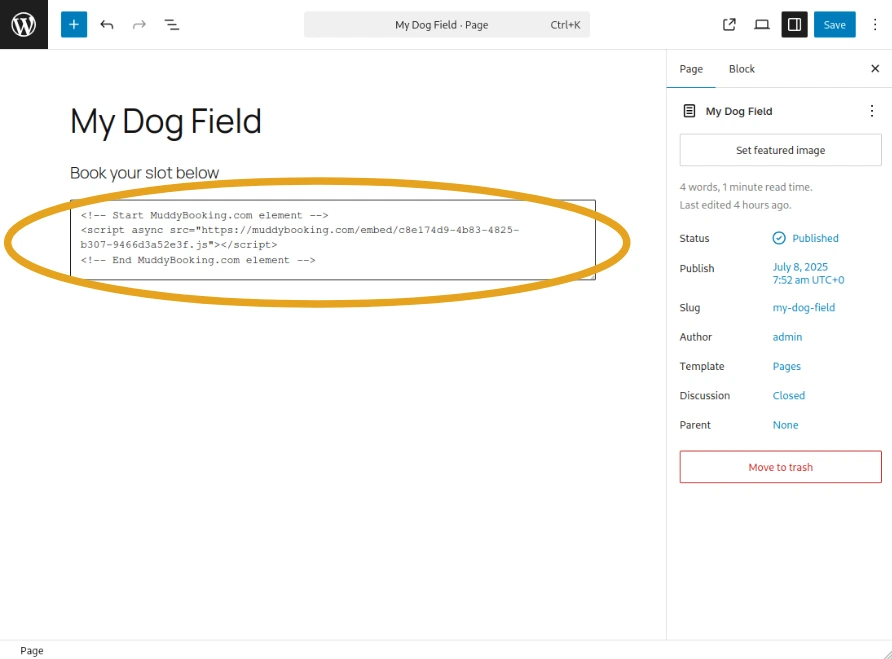
Step 3: Paste the code
Paste the HTML you copied from the Muddy admin area into the Custom HTML block.
Step 4: Save your page
Click Save, Update, or Publish to save your changes.
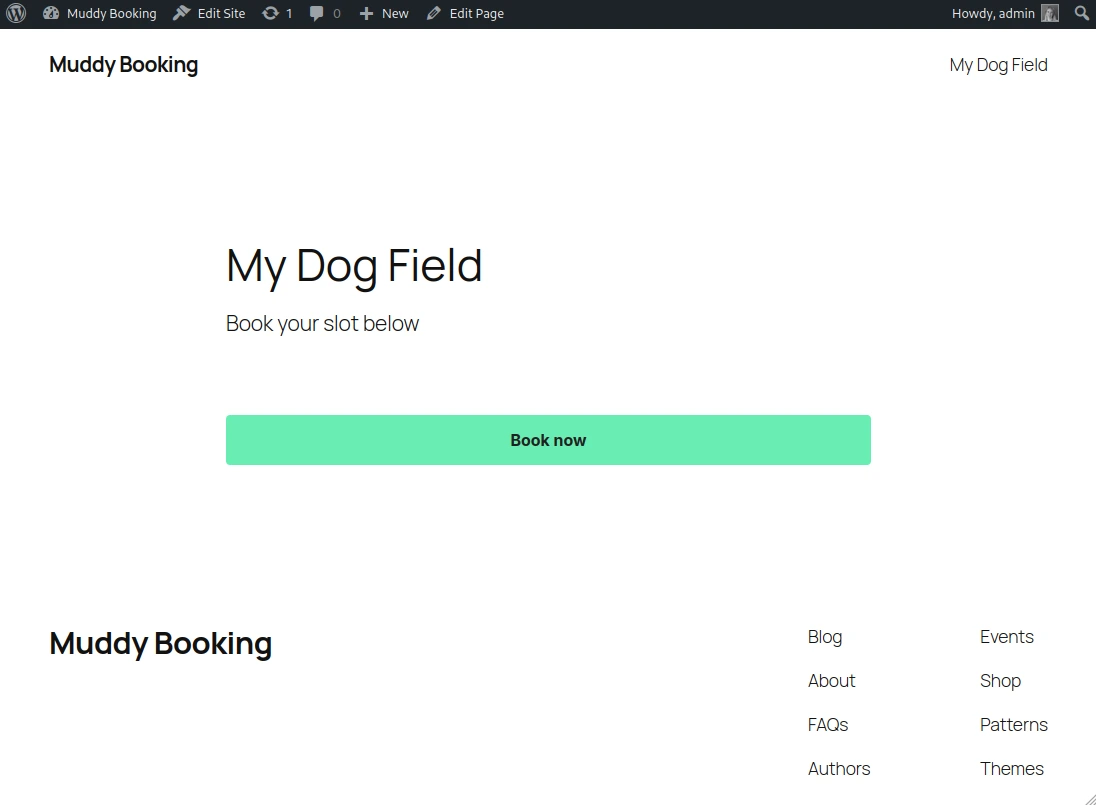
Your customers will now see a Book now button on your page, which opens your booking form.
To open the booking form from your own button, or to track bookings in analytics tools, see the Embed JavaScript API.