Overview
A cancellation policy lets you charge a fee when customers cancel or reschedule. You can set one fee for cancellations made with enough notice and a separate, usually higher, fee for late cancellations.
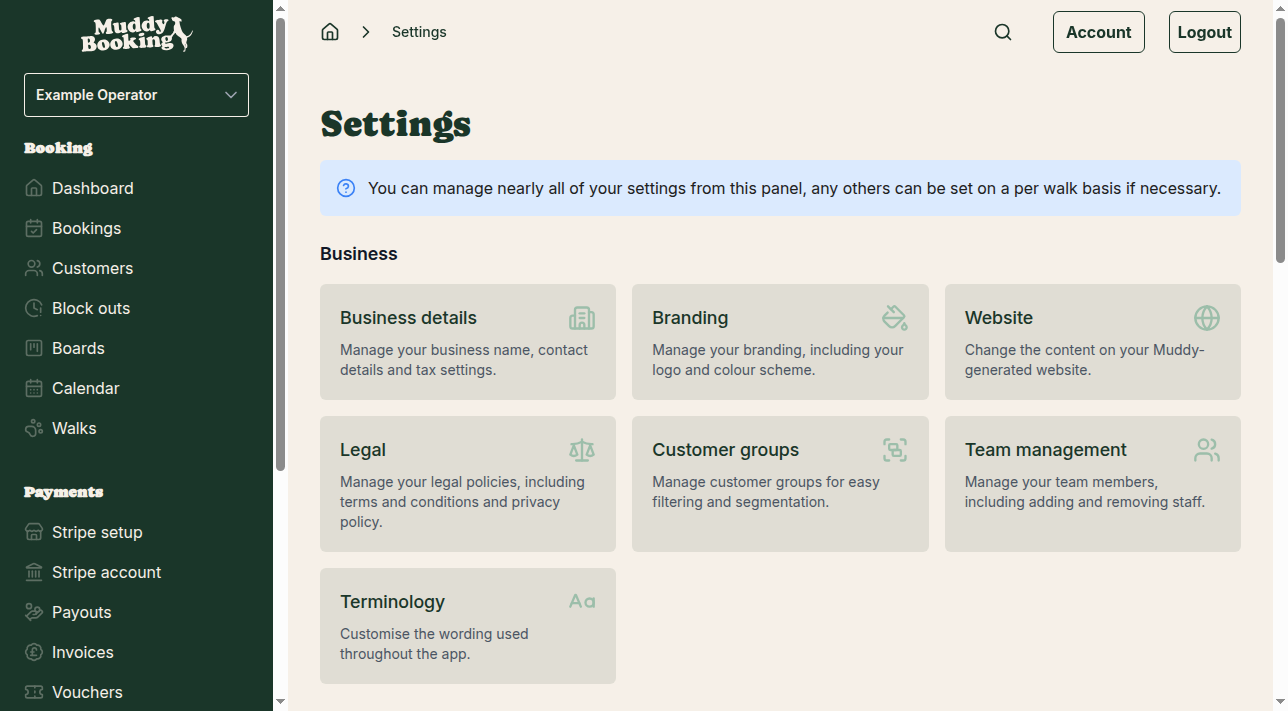
Accessing cancellation settings
- Go to Settings in the left-hand menu
- Under Bookings, click Cancellations & rescheduling
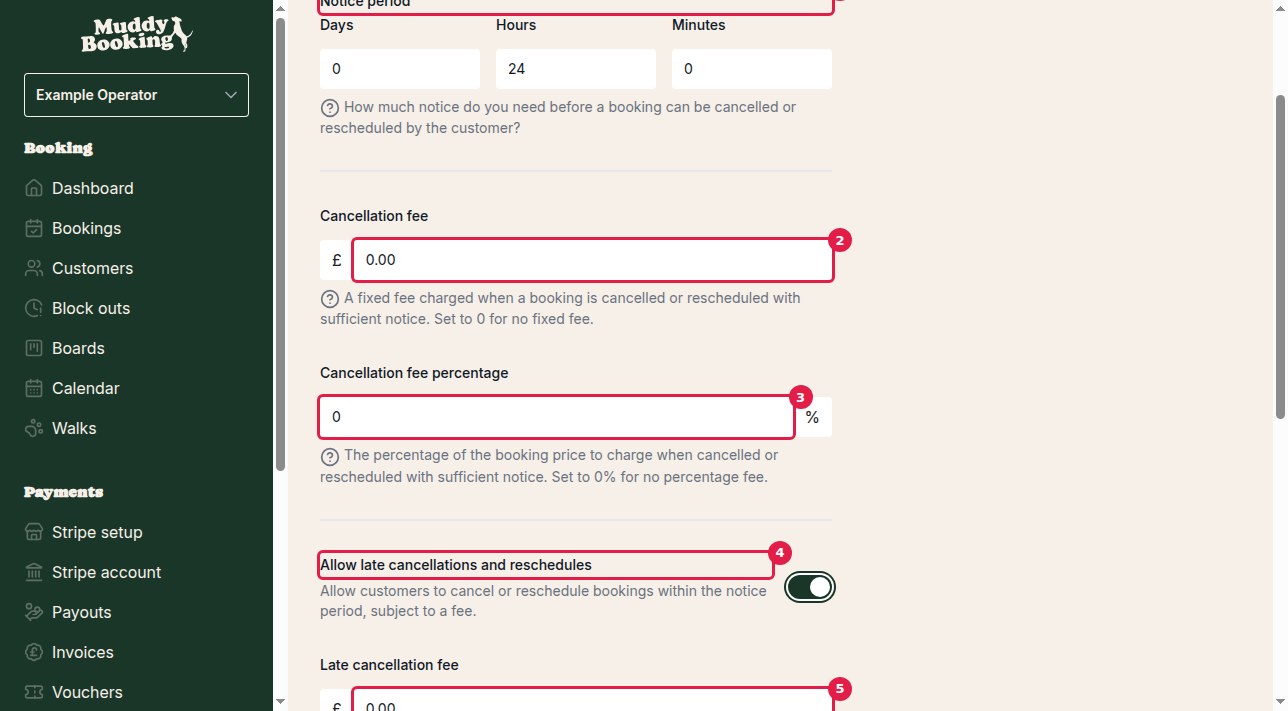
Setting the notice period
The notice period (1) is how much warning you need for a cancellation or reschedule not to count as late. Set it in:
- Days
- Hours
- Minutes
For example, 1 day and 2 hours means customers must cancel at least 26 hours before the booking to avoid a late fee.
Configuring standard cancellation fees
These apply when customers cancel or reschedule before the notice period starts.
Fixed cancellation fee (2)
A set amount in pounds. Enter £0 for no fixed fee.
Cancellation fee percentage (3)
A percentage of the booking price. Enter 0% for no percentage fee.
You can use both, for example £5 plus 10% of the booking price.
Enabling late cancellations
By default, customers can't cancel or reschedule once the notice period has started. To let them, for a fee:
- Switch on Allow late cancellations and reschedules (4)
The late fee settings appear.
Configuring late cancellation fees
These apply when customers cancel or reschedule within the notice period.
Late cancellation fee (5)
A set amount, usually higher than your standard fixed fee.
Late cancellation fee percentage (6)
A percentage of the booking price, up to 100% to charge the full price.
Understanding the difference between standard and late fees
Standard fees apply when customers give enough notice. They're usually low, covering your admin.
Late fees apply within the notice period. They're usually higher, because a slot freed up at short notice is hard to fill.
Tax settings
Switch on Fees include tax if the fixed amounts you enter already include tax. Leave it off to add tax on top.
Important notes
- A cancellation fee never exceeds the booking price
- If late cancellations are off, customers can't cancel or reschedule within the notice period at all
- Setting fees to £0 and 0% means no fee is charged
Saving your changes
Click Save (7). The policy applies straight away to all bookings. To show customers a written cancellation policy, see Setting up legal documents.