Accessing banned breeds settings
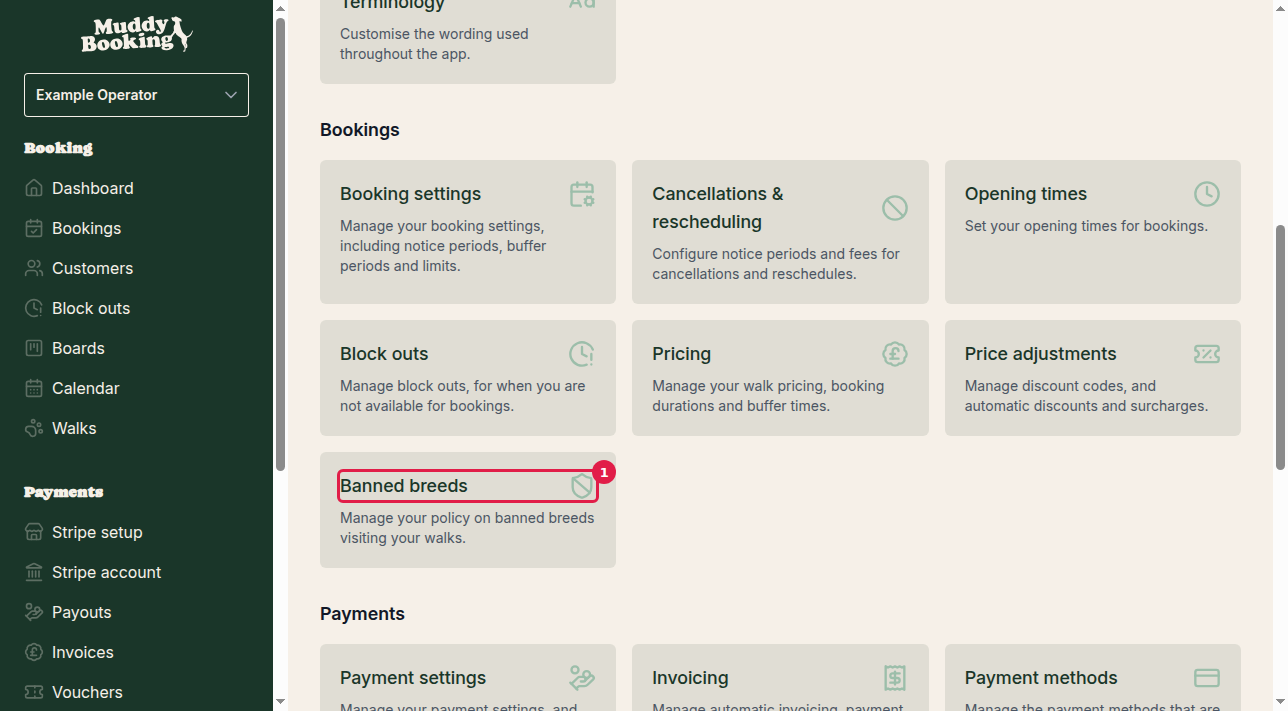
- Go to Settings in the left-hand menu
- Find the Pricing section
- Click Banned breeds (1)
Understanding the policy options
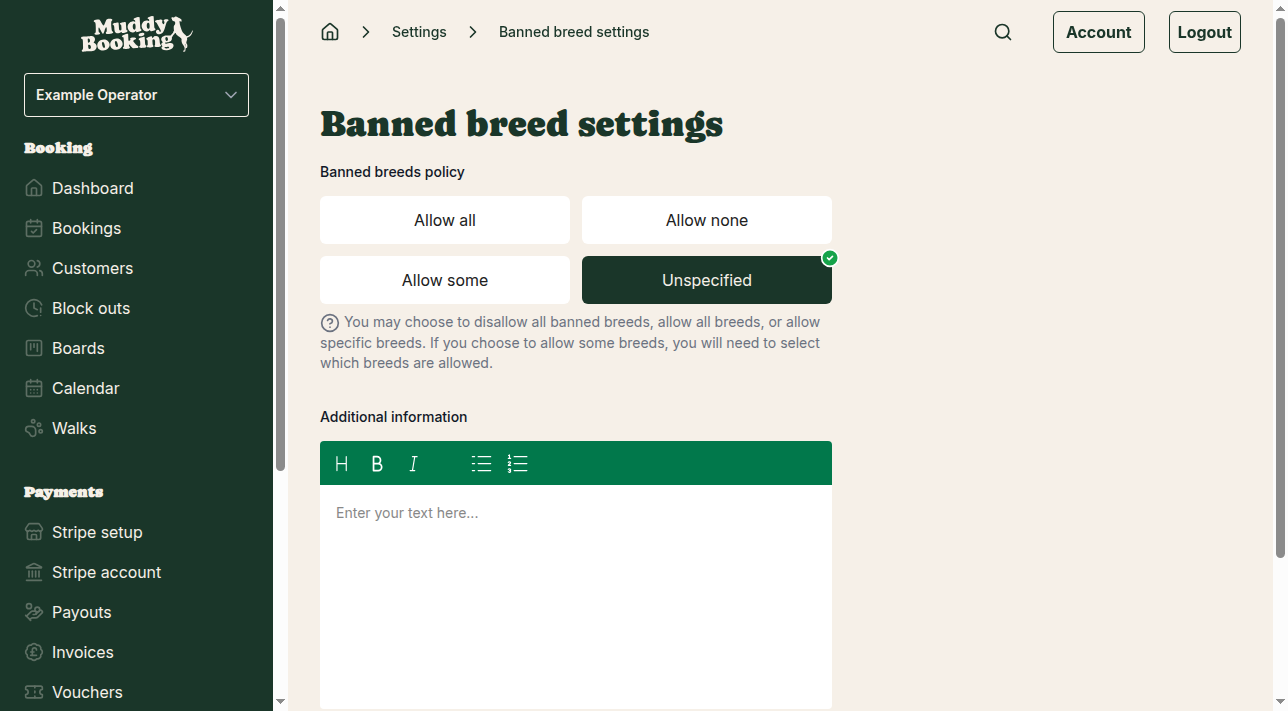
There are four options:
Allow all
You accept every breed.
Allow none
You don't accept any of the commonly banned breeds.
Allow some
You accept some of the commonly banned breeds and choose which ones.
Unspecified
You don't set a policy in Muddy.
Setting up selective breed acceptance
Select Allow some (1) to show the list of breeds (2):
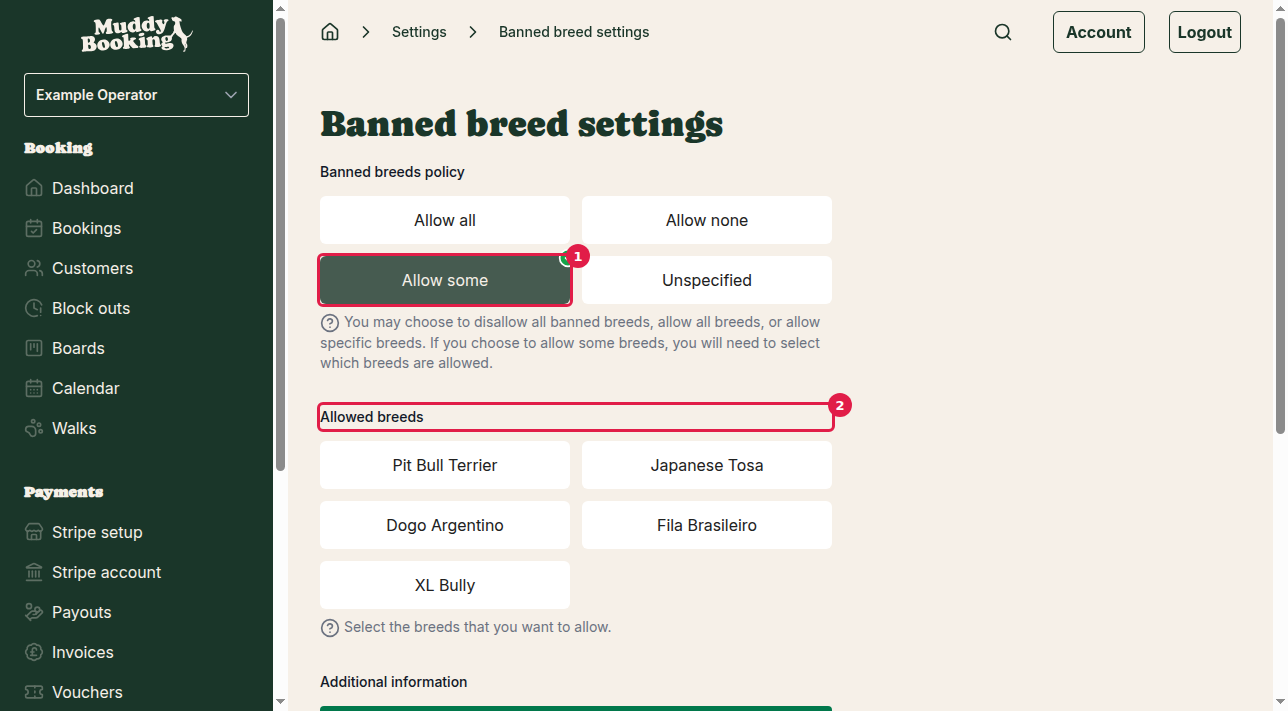
- Pit Bull Terrier
- Japanese Tosa
- Dogo Argentino
- Fila Brasileiro
- XL Bully
Tick each breed you're happy to accept.
Adding additional information
You can explain your policy to customers:
- Scroll down to Additional information (1)
- Enter the details
- Click Save (2)
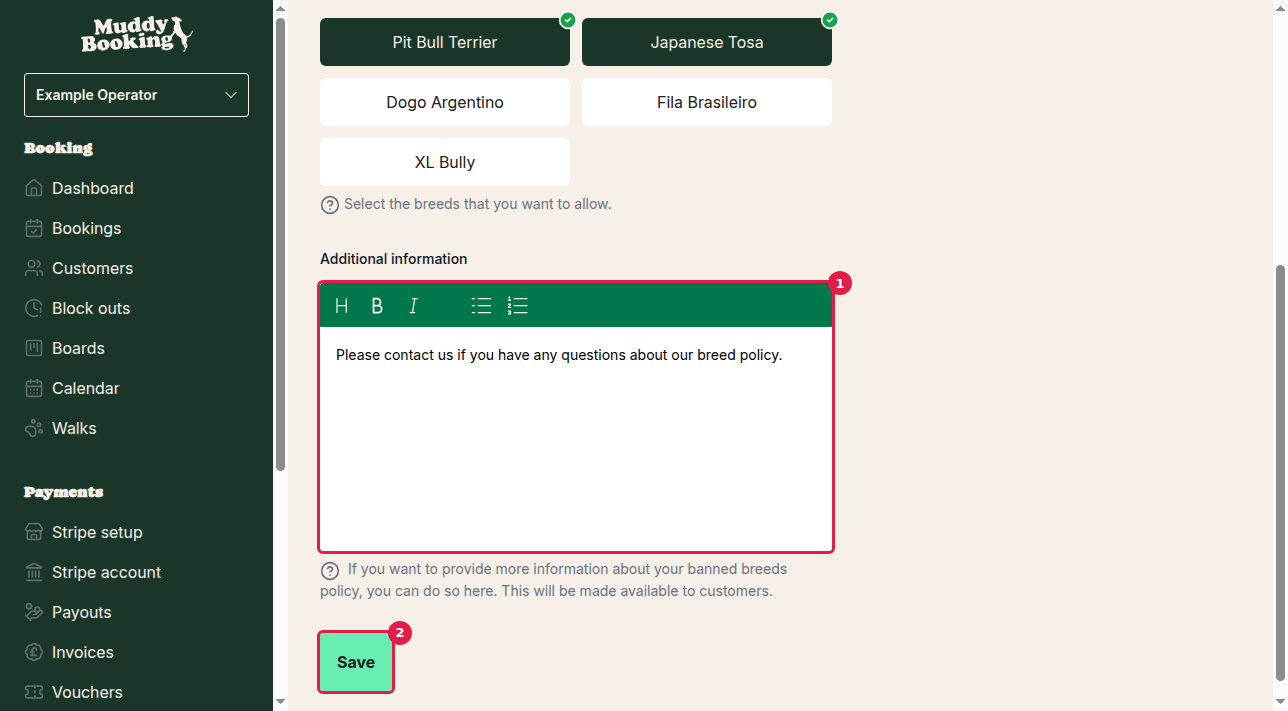
Customers see this text, so you might include:
- Why you have the policy
- How to contact you with questions
- Any exceptions
- Any alternatives you offer
Saving your settings
Click Save. You'll return to the settings page and the policy applies straight away.
Important considerations
- The policy applies to all your bookings
- Customers see the policy when they book. To make them accept it before booking, see Setting up legal documents
- Check your insurance and local regulations when choosing your policy
- You can change the policy at any time