
One of the most common questions we get from new Muddy customers is “Will Muddy work on my current website?” And the answer is yes – it can work with your own website, or without a website at all. Every Muddy account works in two ways – a hosted Muddy website we run for you if you don’t have your own website, or an embedded booking form dropped into the site you already have.
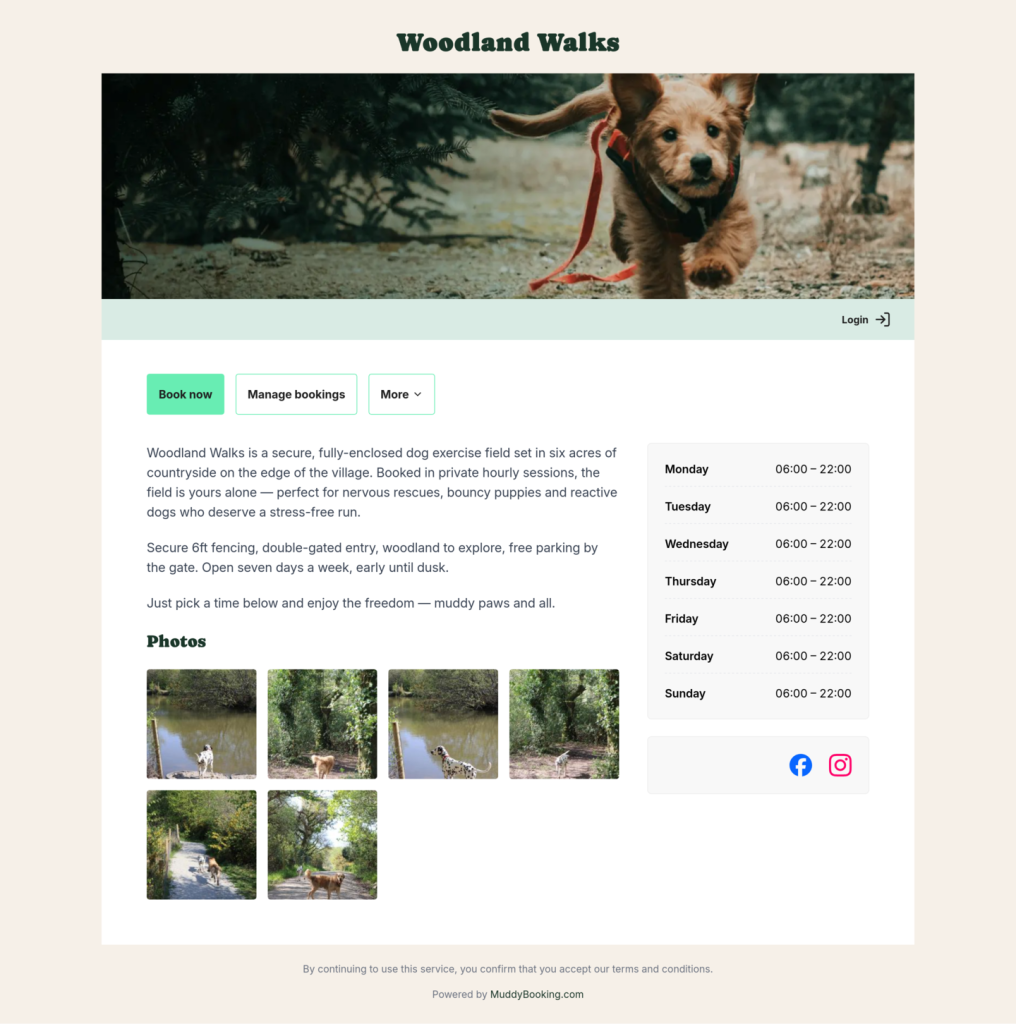
Option 1: Your hosted Muddy website
If you don’t have your own website yet, or would rather not maintain one, Muddy will give you a ready-made booking website out of the box – no coding required. All you need to do is fill in the content under Settings → Website, which includes an introduction to your business, a click through photo gallery and a link to your social media pages.
Your branding will be picked up automatically from the options you chose when setting up your Muddy account. In Settings → Branding, you can upload your logo (this will also appear on your customer emails), set a default walk cover photo and choose a colour palette. Once saved, your changes will show up straight away.
Full details: Customizing branding and website.
Option 2: Embedding Muddy on your existing website
Already built a site you love? You don’t need to send customers elsewhere to book. Your Muddy booking form can live on your existing website as a Book Now button that opens the form in place.
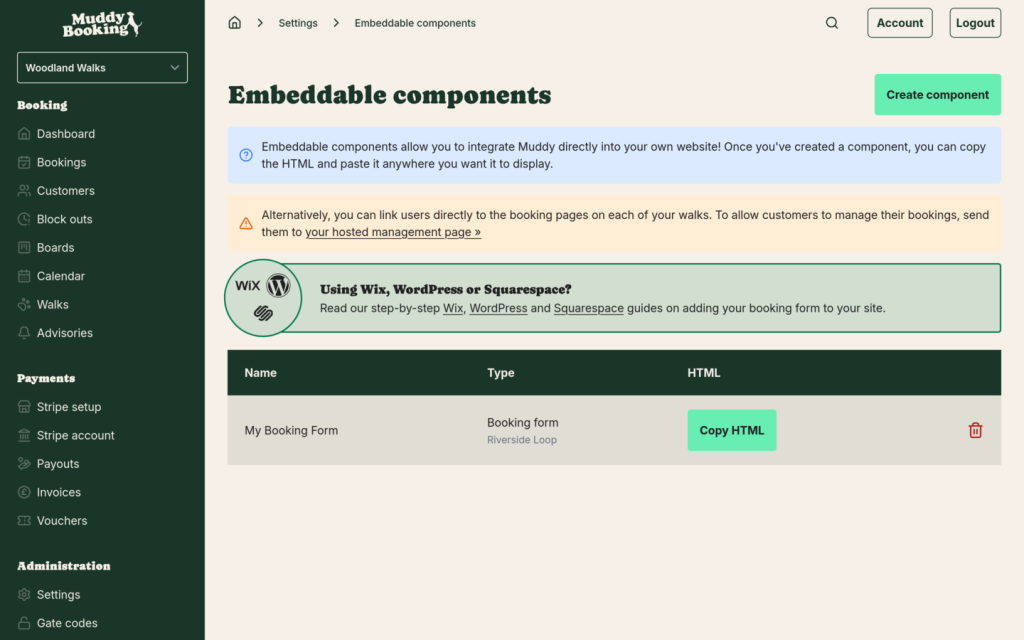
Whichever platform your site is on, the starting point is the same: in the Muddy admin area, go to Settings → Website embedding, find the form you want and click Copy HTML. From there, the process depends on your platform. Some common ones:
- WordPress – paste the code into a Custom HTML block on your page. Step-by-step guide.
- Squarespace – paste the code into an Embed block (not “Code”, which some plans restrict). Step-by-step guide.
- Wix – because of how Wix handles iframes, don’t embed the form directly. Instead, copy your hosted booking form URL and link to it from a button. Step-by-step guide.
If you’ve embedded Muddy’s booking management component too, set the Manage URL in your branding settings so customers land in the right place. If you haven’t, they can still manage bookings through Muddy directly.
Which should you use?
- No website? Use the Muddy Booking hosted website.
- Already have a site? Embed the form so customers book without ever leaving your site.
- On Wix? Link to your hosted form with a styled button.
Whichever route, your branding follows you across the forms, hosted site and emails – so the whole experience feels cohesive for your clients.
Need some support? Send us an email – we’re happy to help.