What are opening times?
Opening times are the hours customers can book. You set them at two levels:
- Business level: the default for all your walks
- Walk level: different hours for a single walk, which replace the business times
For one-off closures such as holidays, see How to add a block out.
Setting business-level opening times
- Go to Settings
- In the Bookings section, click Opening times
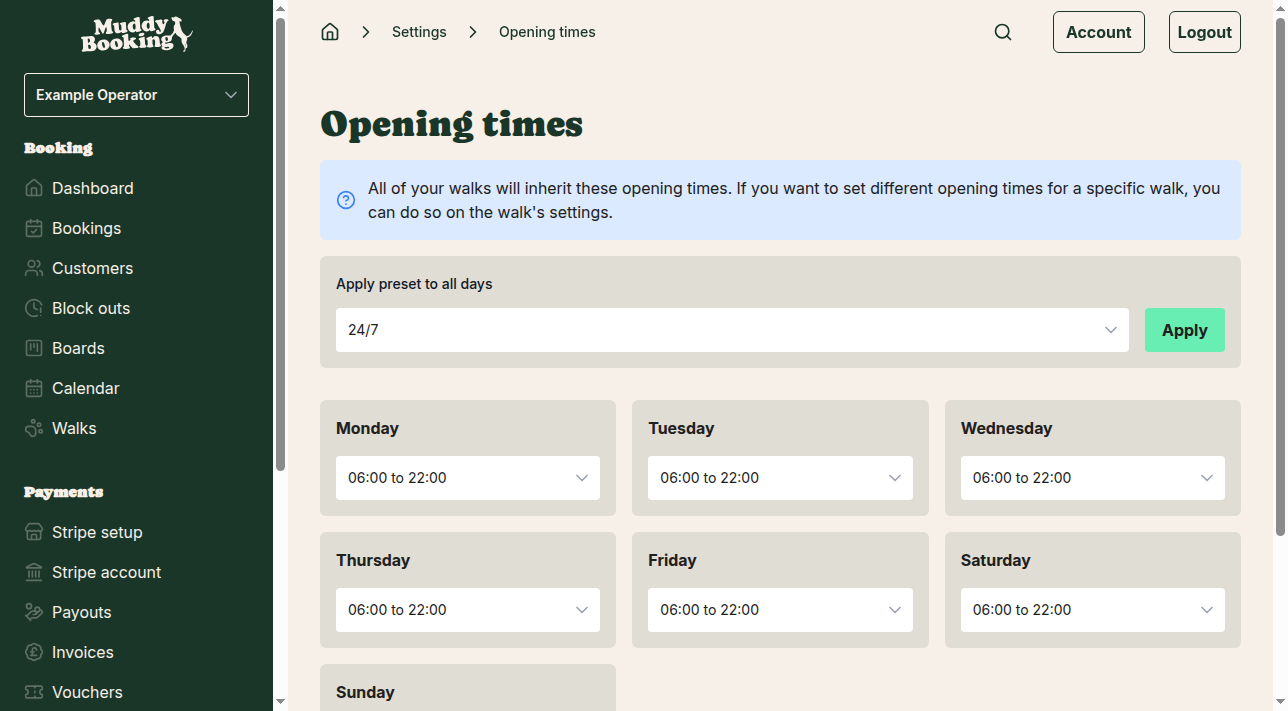
You'll see a row for each day of the week. All your walks use these times unless you give a walk its own.
Using preset times for all days
To set every day at once:
- Choose a preset from the Apply preset to all days menu at the top of the page, such as 24/7, 09:00 to 17:00, 08:00 to 20:00 or Closed
- Click Apply
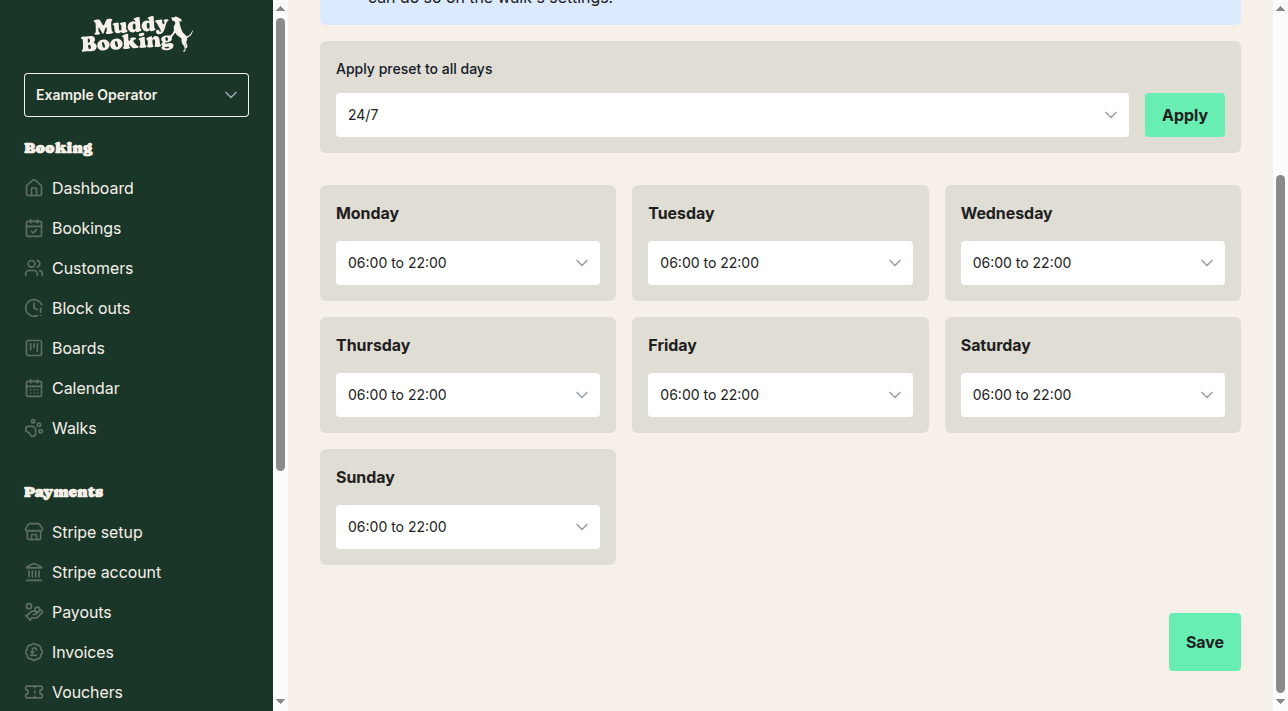
Setting individual days
For each day, choose one of:
- 24/7: open all day
- A set range, such as 05:00 to 22:00, 06:00 to 20:00 or 09:00 to 17:00
- Closed: no bookings that day
- Custom: enter your own start and end times
Click Save at the bottom of the page.
Setting walk-level opening times
Give a walk its own hours if it runs at different times from the rest, for example an early morning walk or a walk in another location.
Accessing walk-level opening times
- Go to Walks
- Click the walk
- Click Settings
- Click Opening times
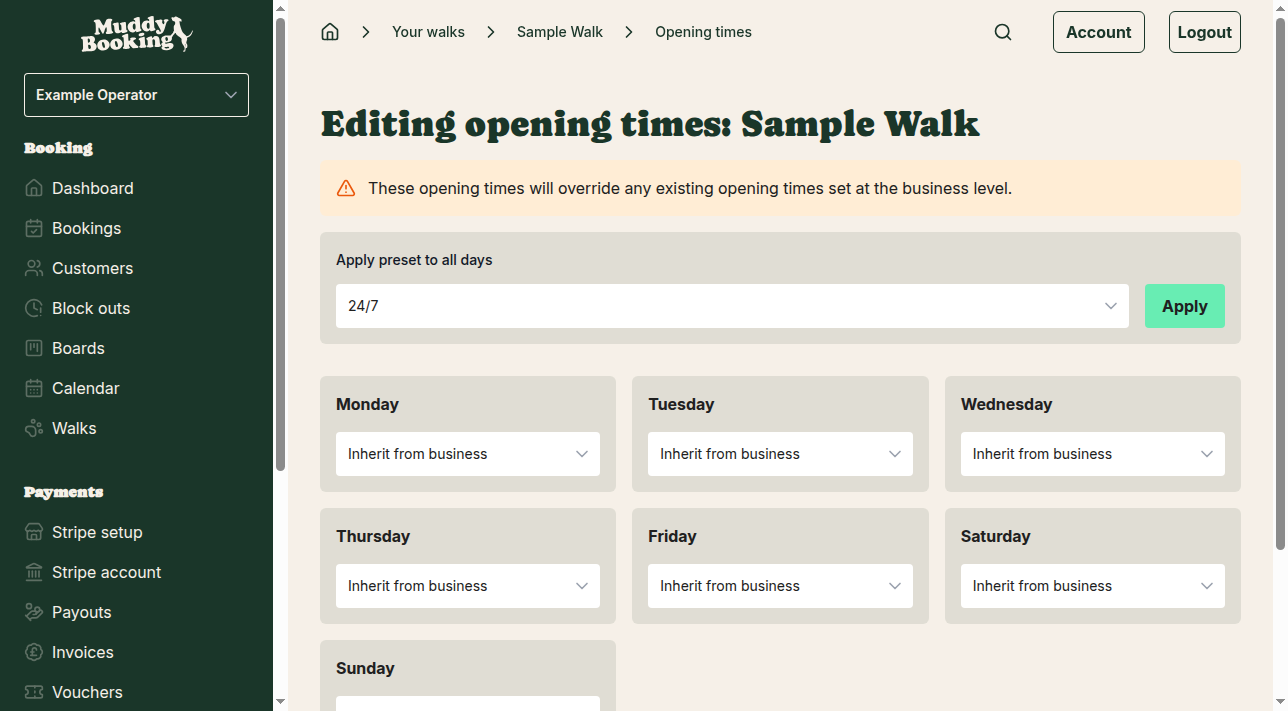
How walk-level times work
Times set here replace the business times for this walk. Each day has the same options as at business level, plus:
- Inherit from business: use the business times for this day
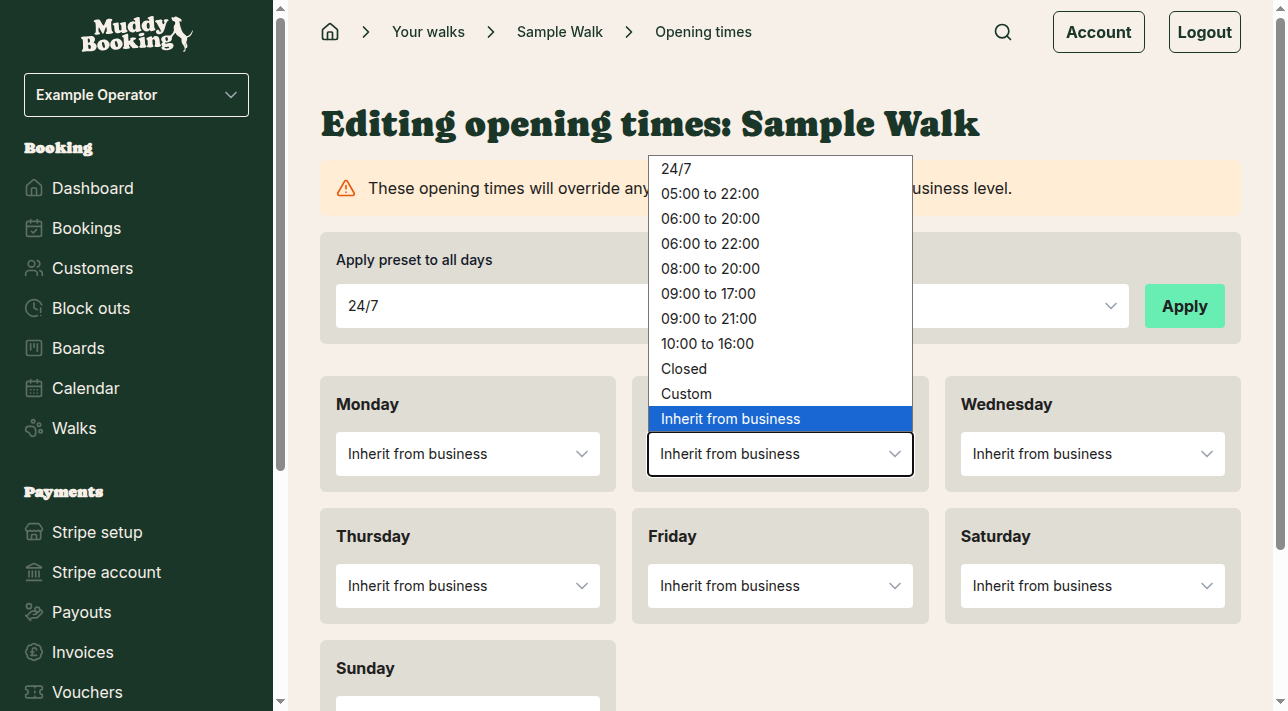
Setting walk-specific times
- Choose Inherit from business for days the walk follows your usual hours
- Set different times for days it doesn't
- Choose Closed for days the walk isn't available, even if you're open
- You can also use the preset menu at the top to set every day at once
- Click Save
Understanding the hierarchy
- Business-level times are the default
- Walk-level times replace them where set
- Inherit from business makes a walk use the business times on that day
Example scenarios
Open weekdays only
- Business times: 09:00 to 17:00 Monday to Friday, Closed Saturday and Sunday
- Every walk follows these times
One walk starts earlier
- Business times: 09:00 to 17:00 Monday to Friday
- Early Morning Walk: 06:00 to 17:00 Monday to Friday
One walk runs at weekends only
- Business times: 09:00 to 17:00 Monday to Friday, Closed at weekends
- Weekend Walk: Closed Monday to Friday, 10:00 to 16:00 Saturday and Sunday
Important tips
- Set business times first, as every walk starts with them
- Use Inherit from business on walk-level days that should follow your usual hours, rather than leaving them blank
- Check your booking form to make sure customers see the right times
- Changes apply straight away to new bookings