Accessing loyalty programme settings
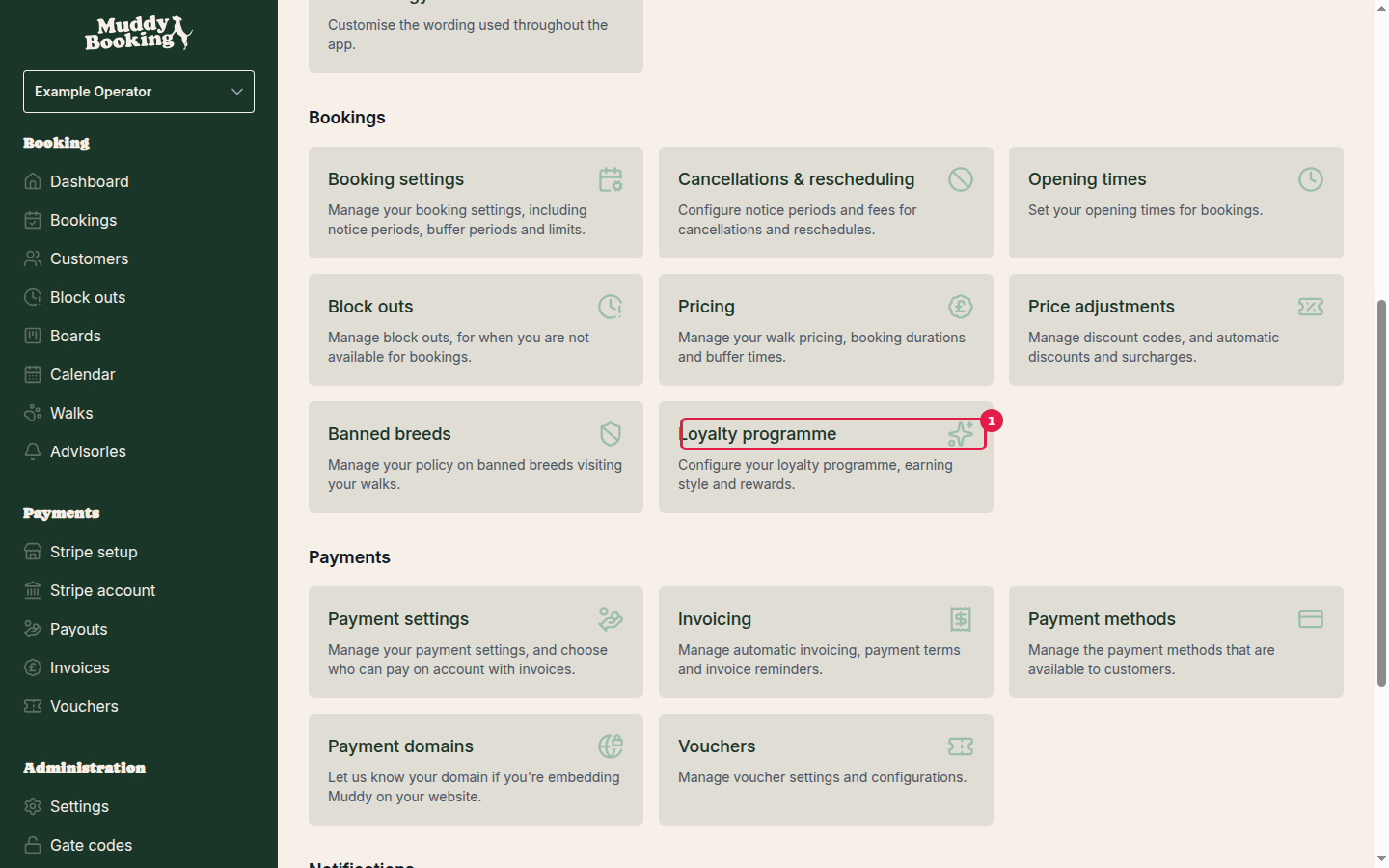
Go to Settings and click Loyalty programme in the Pricing section.
Initial setup
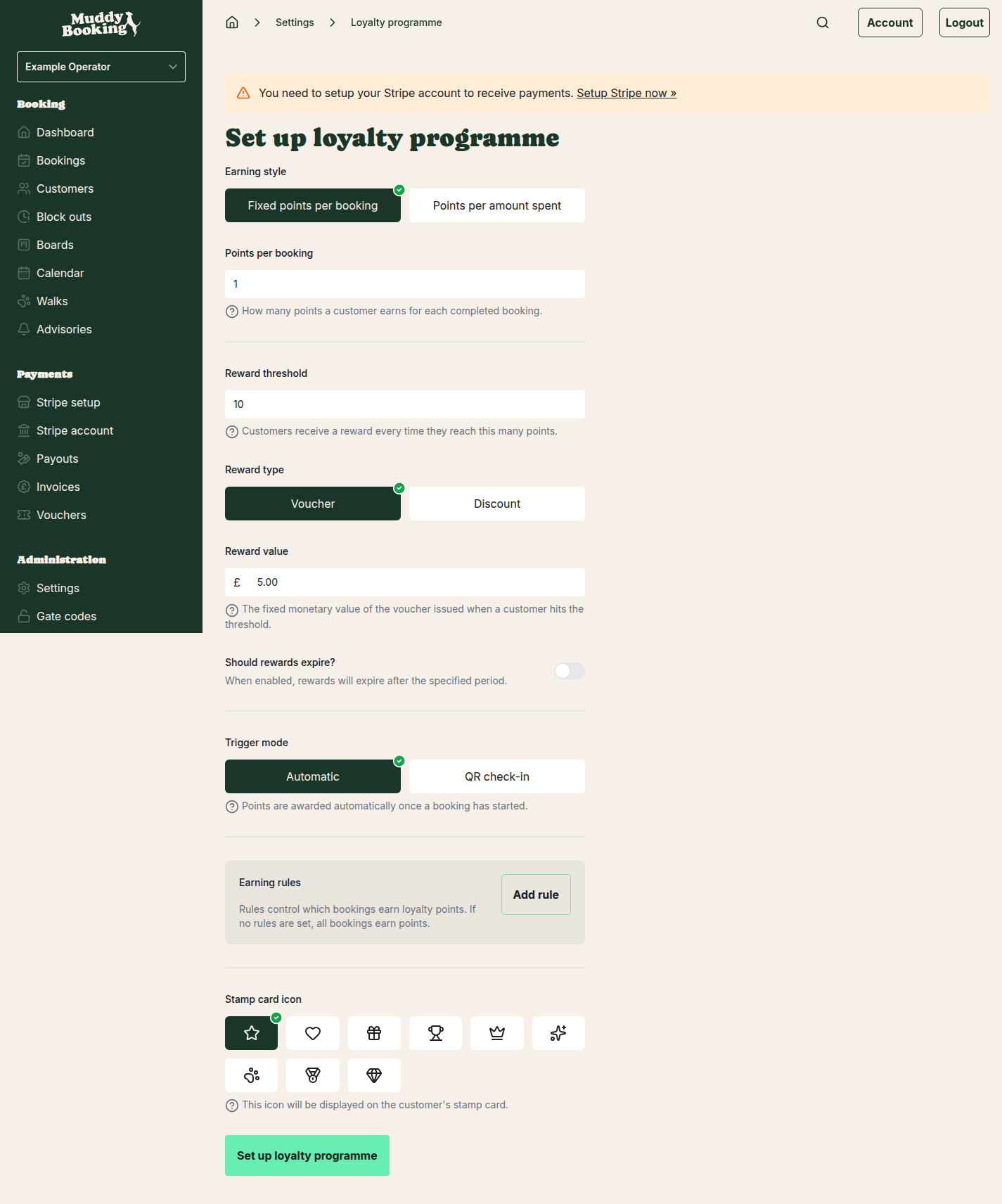
The first time you open it, you'll see all the options with a Set up loyalty programme button at the bottom.
Earning style
How customers earn points:
- Fixed points per booking: a set number of points for each completed booking
- Points per amount spent: points based on how much the booking costs
Points per booking
How many points each completed booking earns. The default is 1.
Reward threshold
How many points a customer needs for a reward. The default is 10. The reward is issued automatically when they reach it.
Reward type and value
- Voucher: issues a voucher for a fixed amount, such as £5.00
- Discount: gives a percentage discount
Then enter the value of the reward.
Additional settings
- Reward expiry: whether rewards expire after a set time
- Trigger mode: Automatic awards points once a booking starts. QR check-in awards them when you check the customer in
- Earning rules: limit which bookings earn points. With no rules, every booking earns points
- Stamp card icon: an icon shown on customers' loyalty cards
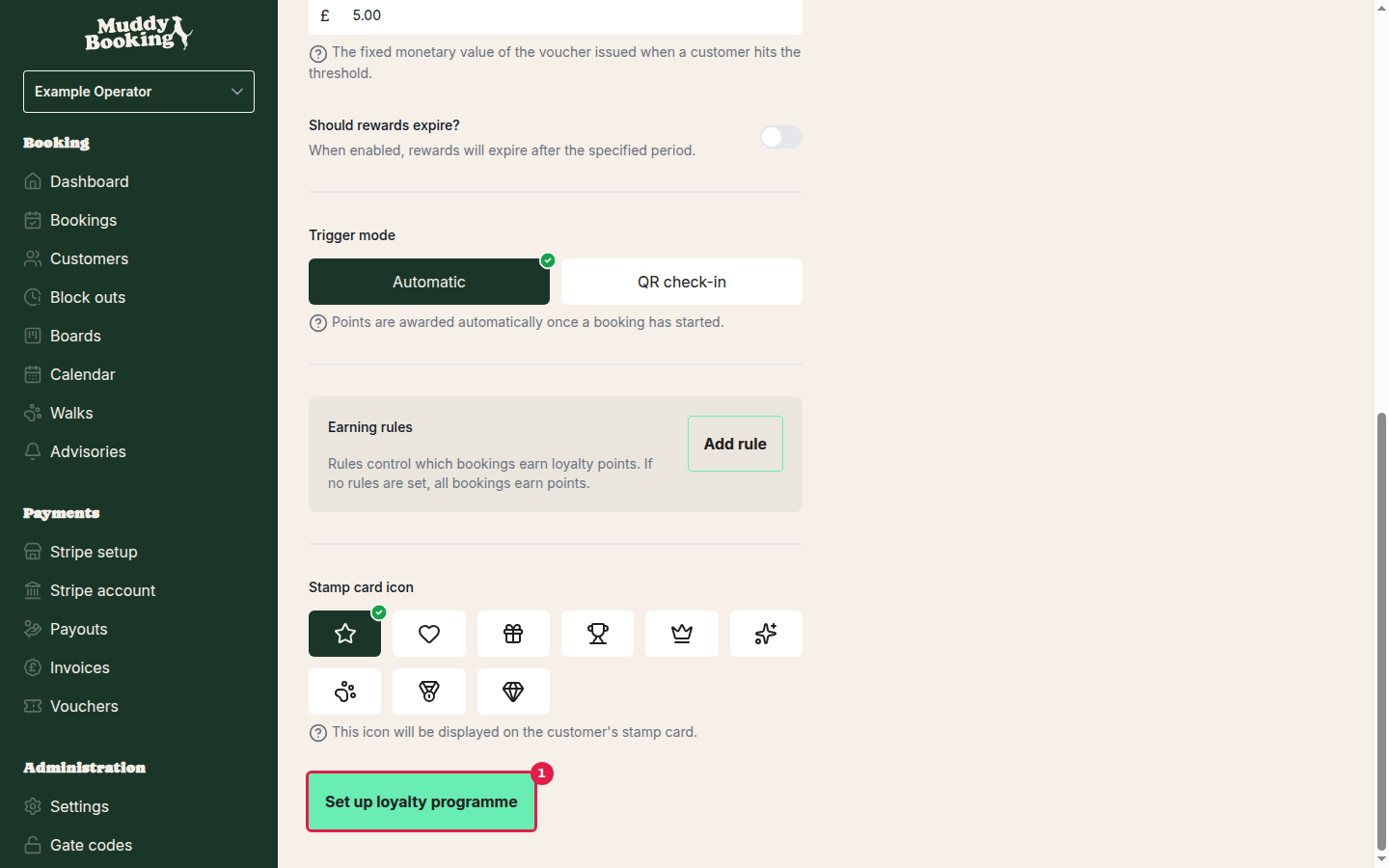
Click Set up loyalty programme to turn it on.
Enabling and managing the programme
After setup, use the switch at the top of the settings page to turn the programme on or off.
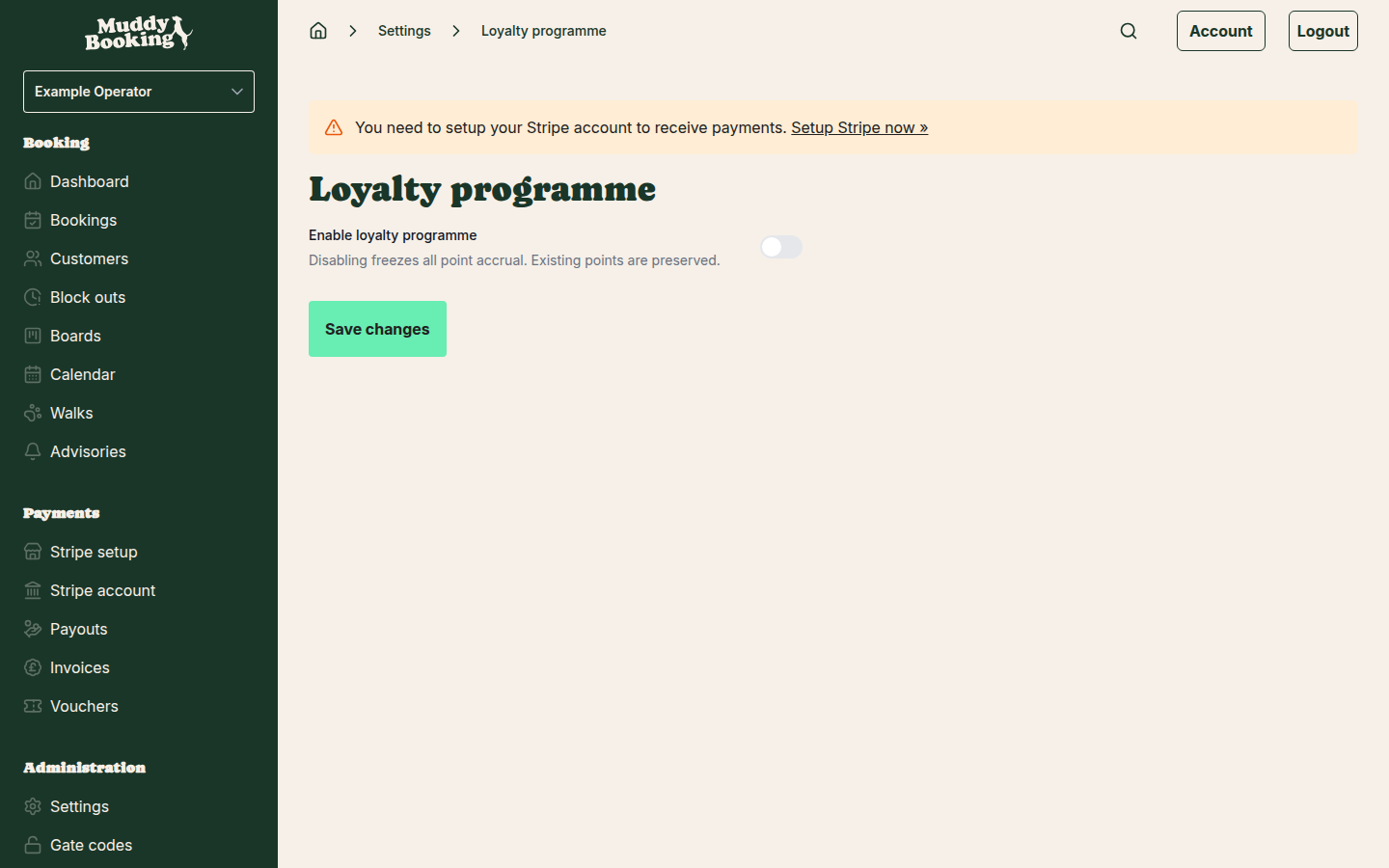
Important: turning the programme off stops customers earning points, but keeps the points they already have. They're still there if you turn it back on.
Click Save changes after making any changes.
Managing customer points
Viewing customer loyalty status
- Go to Customers in the left-hand menu
- Click a customer
Their profile shows their points and how close they are to a reward.
Manually adding points
You can add points yourself, for example to make up for a problem with a booking.
- Open the customer's profile
- Find the loyalty points section
- Choose to adjust their points
- Enter the number of points to add
- Add a note saying why
- Save
Tip: if the extra points take the customer past the reward threshold, their reward is issued automatically.
Customer experience
How customers see their progress
When logged in, customers can see on their dashboard:
- Their points balance
- How close they are to their next reward
- A stamp card
- The points they've earned and the rewards they've used
Impersonating customers
To see exactly what a customer sees:
- Open the customer's profile
- Click Impersonate
Viewing customer history
The customer's profile shows:
- Their bookings
- The points earned from each booking
- Rewards issued and used
- Any points you've added manually
Click View all history for the full timeline.
Tips for success
- Make rewards reachable: if the threshold is too high, customers lose interest
- Tell customers about it: mention the programme on your website and in booking confirmations
- Keep manual points for special cases: such as making up for a problem or marking an occasion